If you searched for the best way to track your time on a shift, an extra mission, or any kind of hourly work, here's the short answer: Shifter's TimeTracker does it, and it's completely free.
You don't need to be hired through Shifter to use it. You don't need to pay anything, ever. And your data is never shared with anyone, not even the business you're working for.
What is TimeTracker?
TimeTracker is a feature built into the Shifter app, available to every worker with a free account. It's a simple clock: start it when your shift begins, pause it when you take a break, stop it when you're done. Underneath, it's precise to the second and keeps a clean history of everything you've worked.
You don't need a Shifter shift to use it
TimeTracker isn't limited to shifts you found through Shifter. You can use it for a seasonal job, a freelance contract, a one-off mission, or any work you picked up on your own. It's a general purpose time tracker, full stop.
Why we built it
Work in a place like Chamonix Valley rarely follows a single tidy schedule. You might work a seasonal contract, pick up extra shifts through Shifter, take on a private mission for a friend, and cover a one-off job the same week. Keeping track of hours across all of that is messy, usually done in a notes app or not at all.
We wanted one place where you always know exactly how many hours you've worked, this week and this month, no matter who you worked for. It's also just useful to open, even on days you have nothing booked. Check your stats, glance at your history, plan your week.
How it works
The flow is built to be fast, one handed, and clear at every step.
- Start: swipe to begin. The timer starts instantly and the screen shows your live elapsed time.
- Break: tap once to pause. Break time is tracked on its own and never counted in your worked hours.
- Resume: tap again to pick back up exactly where you left off.
- Finish: swipe to end. You get a full recap: start time, end time, total break time, and net hours worked.
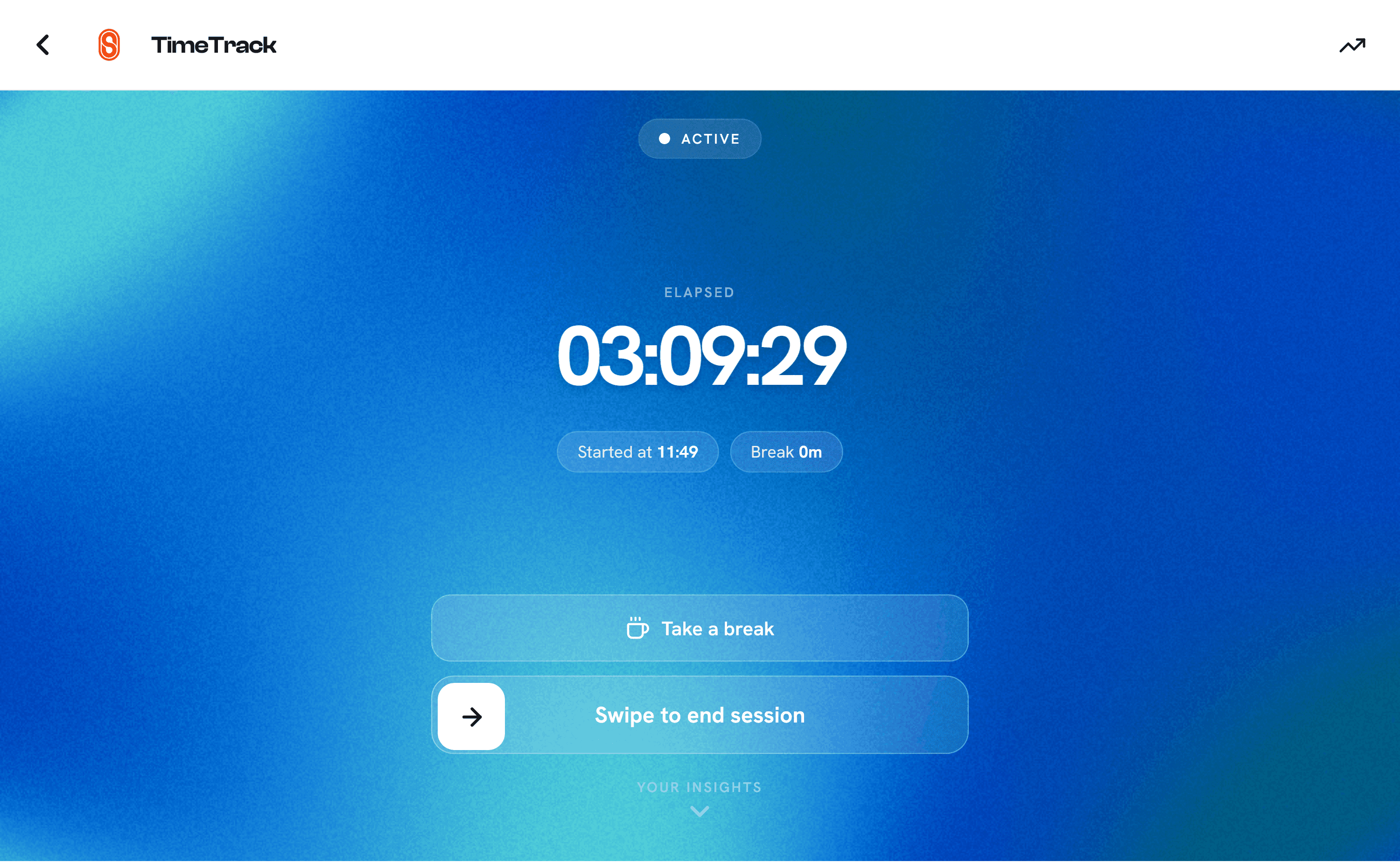
If you forgot to start the timer, or you're logging a shift after the fact, you can also add it manually. Just enter the start and end time, and any break, and it's added to your history like any other session.
Your data is private, period
This is worth being direct about, because it's the whole point of the feature: your time tracking data belongs to you.
- It's completely free, and it always will be.
- It is never shared with any business, property, or third party, including businesses you found through Shifter itself.
- It is never sold, and never used for anything other than showing you your own history.
You're using this tool for yourself: to know how much you worked, to double check a payslip, to remember what you did three weeks ago. Nobody else sees it unless you decide to show them.
Weekly and monthly history, built for invoicing
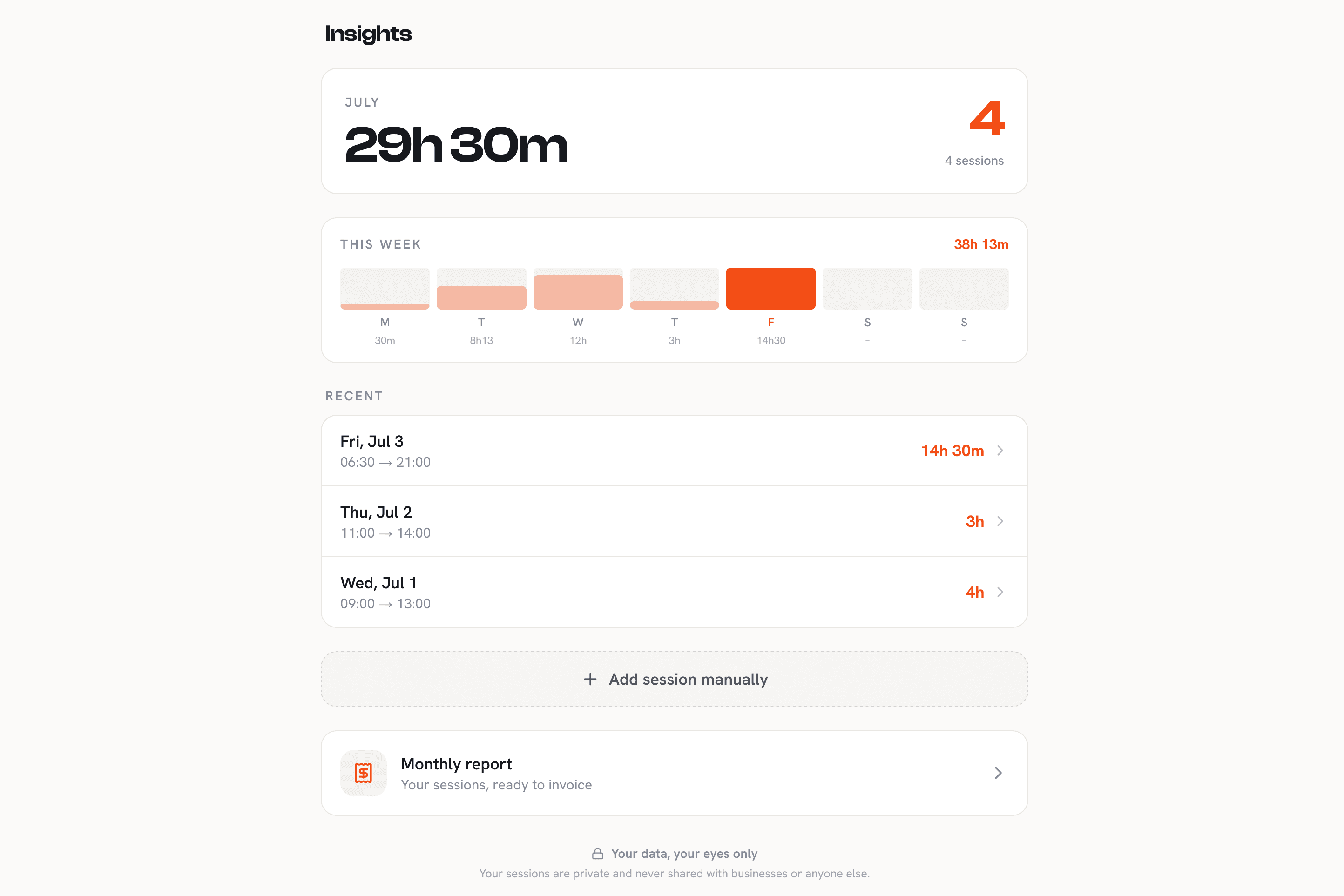
Every session you track gets saved automatically. From the TimeTracker tab you can pull up:
- A weekly chart, so you can see hours worked day by day at a glance.
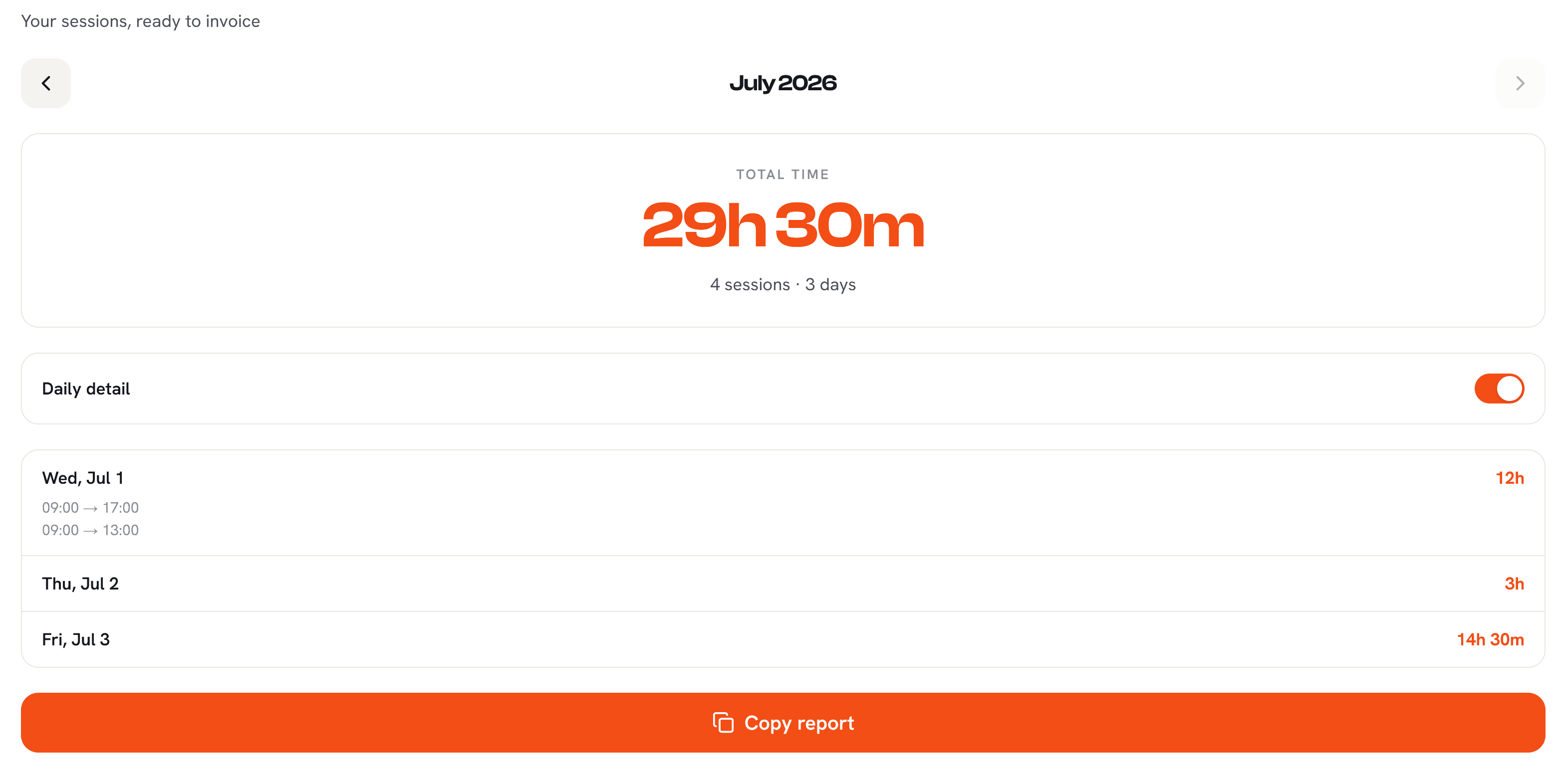
- A monthly report, giving you a full total for the month, ideal for closing out invoices, checking your income, or just settling a dispute over hours worked.
If you're an auto-entrepreneur invoicing multiple clients (see our guide on getting your attestation de vigilance), this is the fastest way to confirm exactly how many hours to bill, without digging through messages or guessing.
What's coming next
TimeTracker is still evolving. Two things we're actively working on:
- Shareable extracts: export a session or a full month as a clean summary you can send directly to a client or employer.
- A standalone app: for workers who want time tracking on its own, without needing the rest of Shifter.
Got an idea, a feature you'd love to see, or feedback on how you use TimeTracker today? Get in touch, we read every message and it directly shapes what we build next.
Common questions
Do I need to be hired through Shifter to use it? No. TimeTracker works for any shift or mission, whether you found it on Shifter or elsewhere.
Does it cost anything? No. It's free for workers, and it always will be.
Can my employer see my tracked hours? No, unless you choose to share them yourself. The data stays in your account.
Do I need an account? Yes, a free Shifter worker account is required to save and access your history.
Can I log a shift I forgot to start the timer for? Yes. You can manually add a session with a start time, end time and break, and it's added to your history like any tracked shift.
If you're already on Shifter, open the TimeTracker tab and give it a try on your next shift. If you're not signed up yet, it takes less than two minutes, and the time tracker alone is worth it.

Jonas CHK
Founder of Shifter
French by origin, Jonas spent years living across the world before falling in love with Chamonix and deciding to stay for good. A tech enthusiast and entrepreneur, he builds digital products, consults for local businesses, and works with his wife on cultural projects. Shifter came out of a simple observation: local businesses and the people working in them were struggling to find each other. When he is not at the keyboard, you will find him in the mountains with his wife and dog.